Apple's container,
finally with a face.
Berthly is a native macOS app for Apple's container tool — build images, run
containers and machines, manage networks and volumes, and tail logs from a real GUI instead
of the command line.
Apple Silicon · macOS 26 or later · works with Apple's container daemon
Apple's container runs Linux
containers in lightweight VMs on Apple Silicon — fast, native, and built by Apple. It ships
as a command-line tool. Berthly is the GUI it's missing: the Docker Desktop-style
experience, driving the same daemon underneath.
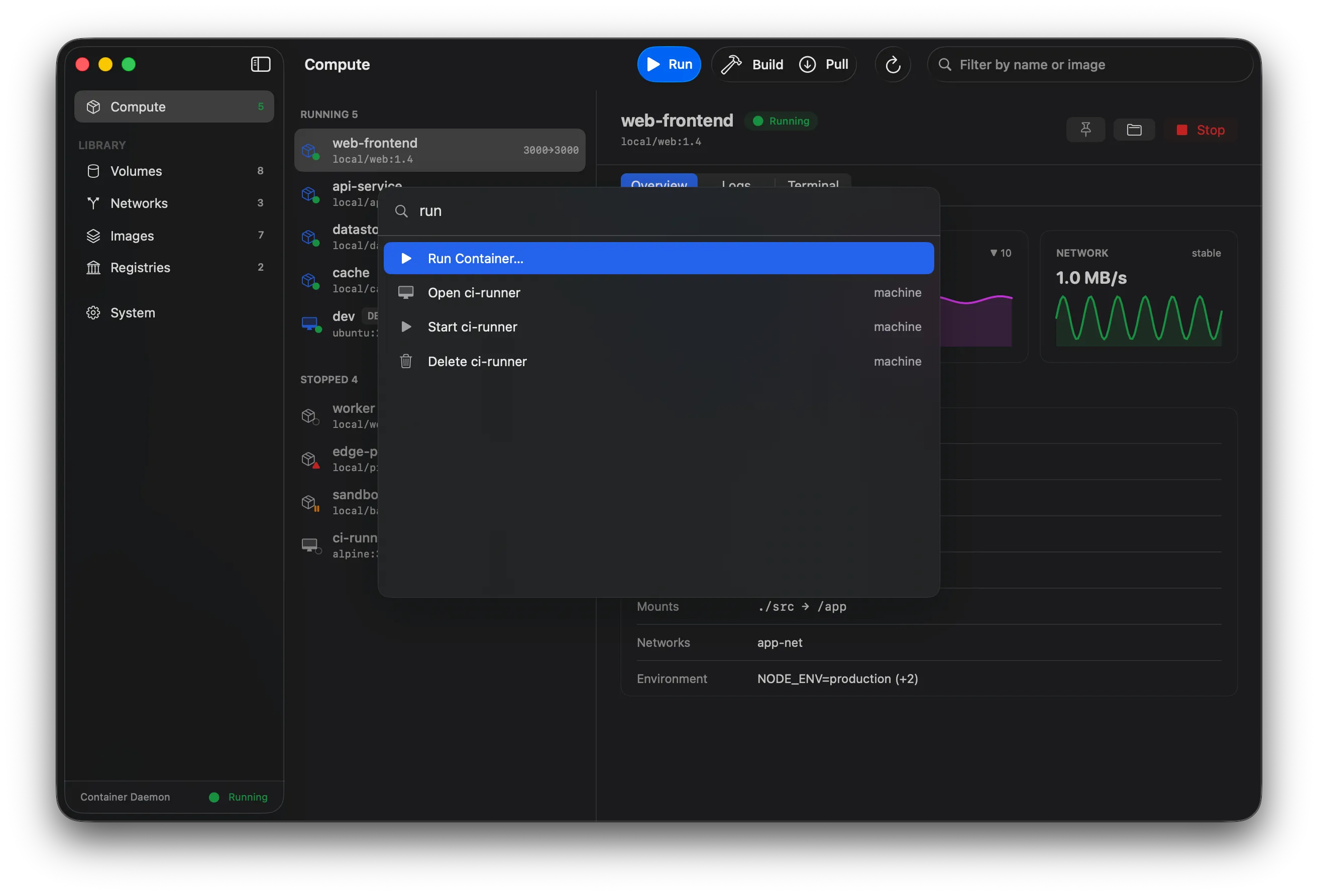
⌘K, and you're there
Every action — run a container, start a machine, pull an image — is a keystroke away. Berthly is keyboard-first throughout: ⌘K opens the palette, ⌘1–6 switch sections, ⌘⌥1–3 jump between a container's Overview, Logs, and Terminal.
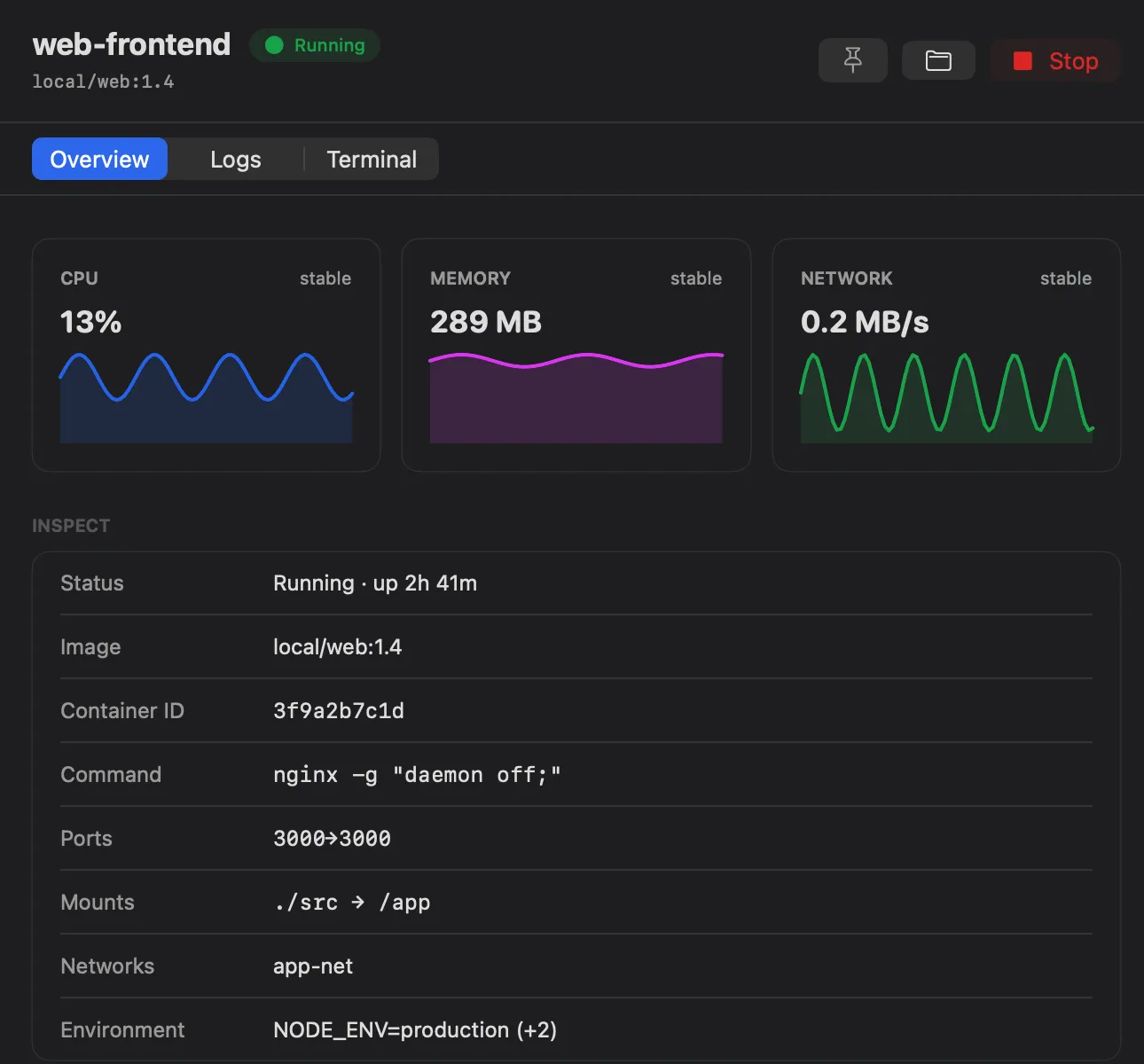
Watch without watching
Live CPU, memory, and network charts for every container — something the CLI simply can't show you. Pin your favorites to the menu bar and get a notification when one changes state while you're elsewhere.
Inspect status, ports, mounts, networks, and environment at a glance.
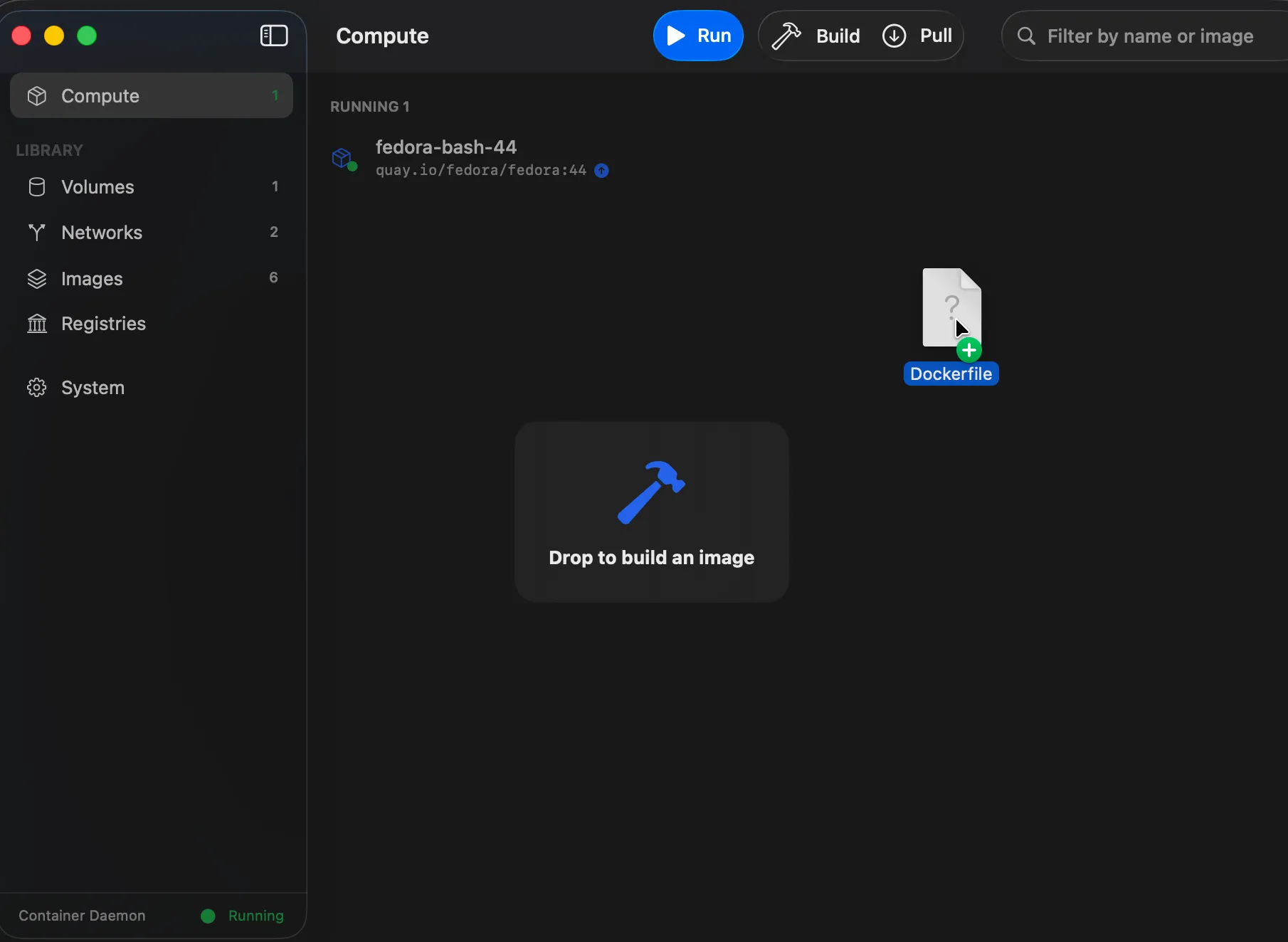
Drag it in, and Berthly takes it from there
Drag a Dockerfile or Containerfile from Finder onto the
window or sidebar — Berthly resolves the context and path and opens the Build sheet
already pointed at them, ready to tag and run.
Context and flags are remembered too, so re-running a build later never means re-entering anything — right-click the image and Rebuild. Read how it handles symlinks and race conditions →
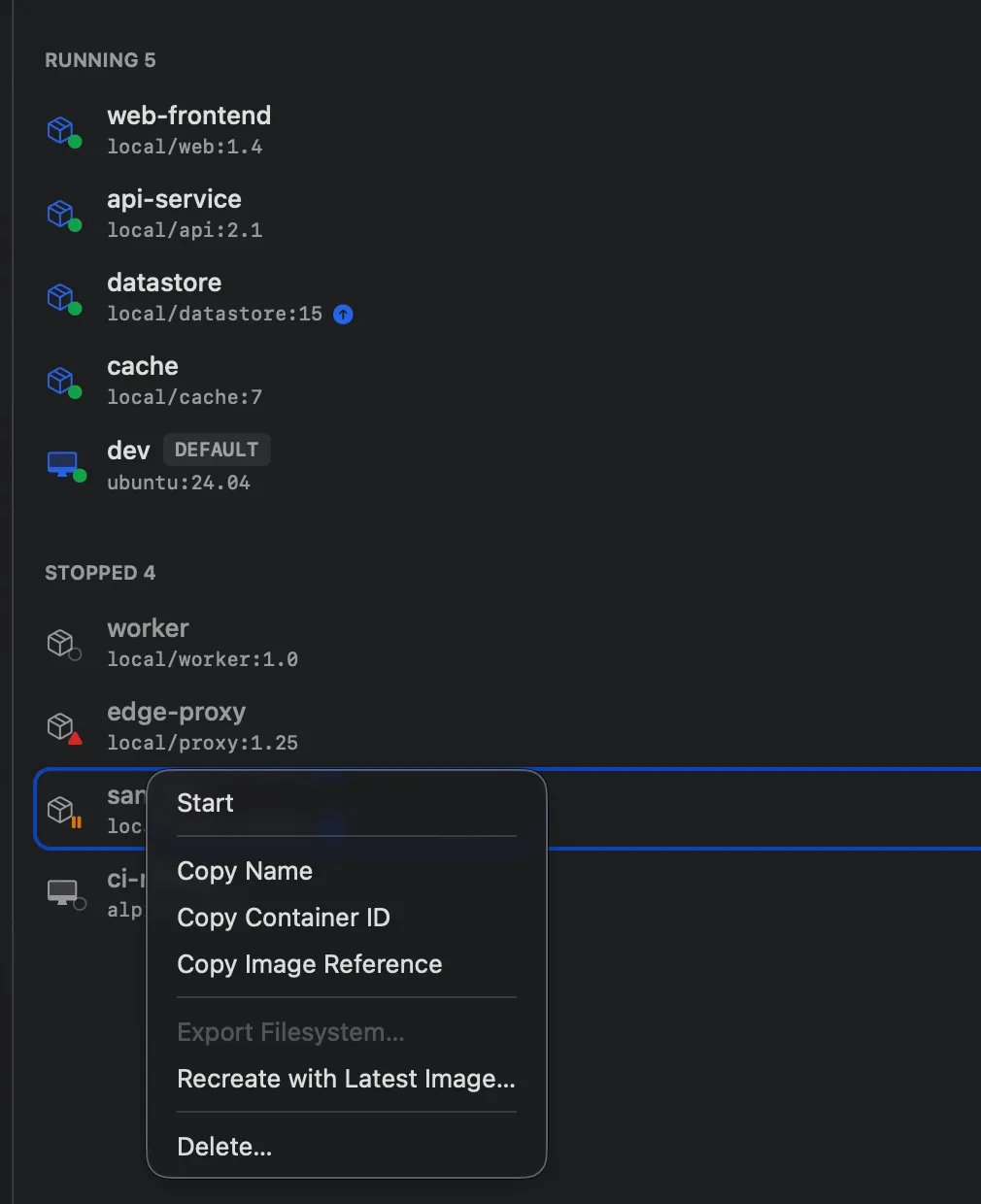
Know when your images fall behind
Berthly checks your registries in the background and badges any image — or the container running it — whose registry digest has moved past your local copy. Recreate with Latest Image does the pull-stop-delete-create-start dance for you, volumes untouched.
Everything the CLI does, without the CLI
Berthly drives the same container daemon you already use — it just gives you
eyes and hands.
Images
List, pull from a registry, build from a Dockerfile, and inspect layers and metadata.
Containers
Create and run containers, view details, and stream logs live as they happen.
Machines
Create and manage VMs, set the kernel, and inspect resources.
Networks & volumes
Create, list, and remove them without touching a terminal.
Registries
Sign in to private registries; credentials live in your macOS Keychain.
Integrated terminal
A real terminal attached to your containers, built on SwiftTerm.
Command palette
Jump to any action with a keystroke — ⌘K and go.
Right-click, everywhere
Every row — containers, images, volumes, networks — carries its full action set in a context menu, no detail pane required.
Menu-bar presence
Quick status and controls without leaving what you're doing.
Drag-and-drop builds
Drag a Dockerfile or Containerfile from Finder onto the window to open the Build sheet, pre-filled and ready to go.
Rebuild in one click
Every build's context and flags are remembered, so re-running one never means re-entering anything.
Builds keep going
Close the build sheet and keep working — the toolbar indicator tracks progress and surfaces failures.
Disk hygiene at a glance
Reclaimable-space badges on Images and Volumes, with confirmed one-click pruning.
Image updates, Watchtower-style
Berthly checks your registries in the background and badges anything stale — recreate a container in one click, volumes untouched.
Running in 30 seconds
Download the DMG
Grab Berthly-1.4.1.dmg from the
latest release.
It's Developer ID–signed and notarized by Apple — no warnings, no workarounds.
Drag to Applications
Open the DMG and drag Berthly.app into Applications. Updates arrive in-app from then on — Berthly → Check for Updates.
Launch — that's it
No daemon yet? Berthly installs Apple's signed container toolchain and
starts and monitors the daemon for you.
Everything stays on your Mac
Berthly is a local tool, and it behaves like one. It talks only to the local
container daemon over XPC — no telemetry, no analytics, no calls home.
No telemetry
No analytics, no crash reporting, no calls home. The only network traffic is your own image pulls and pushes.
Keychain-only credentials
Registry sign-ins live in the same macOS Keychain items the CLI uses. Nowhere else, ever.
Open code
Apache-2.0 on GitHub. Not sandboxed by necessity — so audit exactly what it does.
Found a vulnerability? Report it privately →
Latest posts
All posts →Berthly 1.4.1: symlink-traversal fix, stricter version gate
Tracks apple/container 1.4.1 / containerization 0.45.0, which fixes a moderate-severity OCI-load symlink traversal reachable through Berthly's Load OCI tar sheet. The daemon itself has to be on 1.4.1 for the fix to apply, so the in-app version gate now blocks 1.2.x/1.3.x installs instead of just nudging.
Berthly 1.3.1: security patch, one registry behavior change
Tracks apple/container 1.3.1. Containerization 0.42.0 fixes CVE-2026-65388 and five more advisories — some in code Berthly links and runs itself, not just the daemon. One behavior change: an HTTP registry that requires authentication now needs an HTTPS endpoint.
Berthly 1.3.0: keeping up with apple/container 1.3.0
Tracks apple/container 1.3.0. container 1.3.0 dropped the 'auto' connection scheme and its local-registry detection — Berthly runs that check itself now, so plain-HTTP registries on localhost or a private network still work without the insecure toggle. Plus a tmpfs-with-options fix and tidier platform labels.